
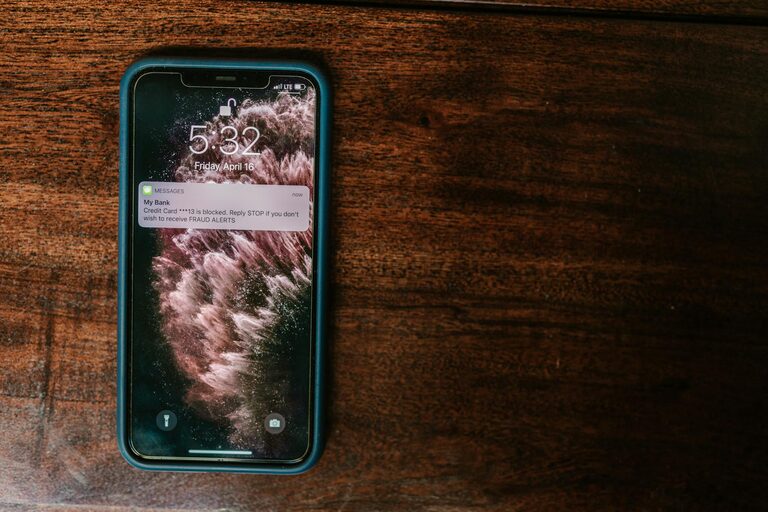
In today’s digital world, notifications are a constant presence on our smartphones, computers, and other devices. While they are designed to keep us informed, too many notifications can quickly become overwhelming, disrupting our focus and increasing stress. Setting clear boundaries with notifications is essential for maintaining productivity and preserving your mental well-being.
In this post, we’ll explore effective strategies to help you take control of your notifications, reduce distractions, and create a more balanced digital environment.
Why Setting Boundaries with Notifications Matters
Notifications are meant to alert us about important events or messages. However, constant alerts can fragment our attention, reduce our ability to concentrate, and even interfere with rest and personal time.
– Improves focus: Reducing notifications cuts distractions and helps you stay on task.
– Reduces stress: Constant pings can create a sense of urgency and anxiety.
– Promotes work-life balance: Managing alerts prevents work from bleeding into personal time.
– Encourages mindful device use: Boundaries help you use technology intentionally.
Understanding these benefits is the first step toward creating healthier notification habits.
Assess Your Current Notification Settings
Before making changes, take a moment to review the notifications you currently receive.
– List the apps and devices that send you alerts.
– Identify which notifications are useful versus unnecessary or redundant.
– Notice when and how often these alerts appear during your day.
This assessment helps you decide what to keep, adjust, or mute.
Practical Tips for Setting Notification Boundaries
1. Prioritize Notifications by Importance
Not all notifications require immediate attention. Use your device’s settings to categorize alerts:
– Urgent: Calls, messages from close family, or work-critical alerts.
– Informational: Social media updates, promotional messages, or less time-sensitive news.
– Optional: Game invites, community group posts, or apps you rarely use.
Limit alerts to only the most important categories during work hours or focused times.
2. Use Do Not Disturb or Focus Modes
Most modern devices have built-in “Do Not Disturb” or “Focus” modes that mute notifications temporarily.
– Schedule these modes during meetings, work blocks, or personal time.
– Customize who can still reach you (e.g., certain contacts or repeated calls).
– Enable auto-replies to inform contacts you’re unavailable if needed.
This approach preserves your availability while minimizing interruptions.
3. Batch Notification Checks
Instead of reacting to every notification instantly, set specific times to check your messages and updates.
– Designate 2–3 times a day to review notifications.
– Turn off banners and sounds to avoid distraction between these times.
– Use this habit to maintain control over your focus throughout the day.
4. Customize App Notification Settings
Dive into each app’s settings and tailor notifications according to your preferences.
– Turn off notifications for apps that aren’t essential.
– Adjust notification types; for example, allow banners but disable sounds.
– Update notification frequency if the app supports it.
Regularly review these settings as your needs can change over time.
5. Use Separate Devices for Work and Personal Life
If possible, separate devices reduce the chance that personal notifications interrupt your work and vice versa.
– Use a dedicated phone or tablet for work-related apps.
– Keep leisure and social apps on a different device.
– This physical separation helps reinforce boundaries between work and relaxation.
6. Limit Social Media and Email Notifications
Social media and email are frequent sources of non-urgent notifications.
– Turn off push notifications for social media apps.
– Schedule specific times to check email rather than using push alerts.
– Use email filters to prioritize important messages.
These steps prevent constant distraction from less urgent communication.
7. Communicate Your Notification Preferences
Inform colleagues, friends, or family about your notification boundaries.
– Let them know when you typically check messages.
– Share alternative ways to reach you in urgent cases.
– This helps manage expectations and reduces pressure to respond immediately.
Maintaining Your Boundaries Over Time
Setting notification boundaries is not a one-time event—it requires ongoing attention and adjustment.
– Regularly review your notification settings.
– Adapt boundaries as your work or personal life changes.
– Use apps or digital wellbeing tools to monitor your device usage.
By staying mindful, you can continue minimizing distractions and protect your focus.
Conclusion
Notifications can be valuable tools when used thoughtfully, but unchecked alerts often interfere with productivity and peace of mind. Setting clear boundaries around your notifications takes effort but leads to improved focus, reduced stress, and better balance in daily life.
Start today by assessing your notification habits, prioritizing what’s essential, and using built-in device features like Do Not Disturb. With consistent practice, you’ll transform your digital experience into one that supports rather than detracts from your goals.
—
Feel free to share your own tips or challenges with managing notifications in the comments below!